P-Series Appliance
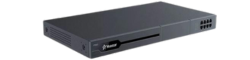
A dedicated PBX appliance installed at your office for businesses that want the phone system on their premises.
- Physical PBX at your site
- Plan IP phones and analog connections
- Choose capacity by users and simultaneous calls
Choose the deployment first, then the capacity. We help businesses plan the PBX, extensions, phones, SIP trunk, DID numbers and call flow as one working system.
This page is for planning the complete solution. The hardware catalogue shows individual Yeastar products and current store availability.
The right direction depends on your IT resources, office locations, budget and preference for ownership or managed service.
A dedicated PBX appliance installed at your office for businesses that want the phone system on their premises.
Deploy the PBX software on compatible infrastructure when your IT team prefers a server or private-cloud approach.
Choose a hosted service when you prefer monthly operating costs and do not want to maintain PBX hardware at the office.
A successful deployment also needs the right call service, endpoints, routing and support plan.
Plan extensions, reception, IVR, ring groups, queues and department routing around how the business answers calls.
Combine supported IP phones with Linkus clients where mobile or desktop access is part of the selected solution.
Connect inbound business numbers and outbound calling, subject to service availability, registration and quotation.
Plan configuration, handover and optional remote-management services according to product compatibility and subscription.
Users, simultaneous calls, sites, current lines, desired features and existing equipment.
Compare appliance, software and hosted directions before choosing a specific model or plan.
Review PBX capacity, phones, SIP trunk, DID, configuration and installation requirements.
Implement the approved scope, test the call flow and prepare users for the new system.
No. This page helps you choose the solution and deployment. Use Yeastar Hardware for appliances, modules, gateways and store availability.
First confirm extensions, simultaneous calls, sites and analog requirements. We can then recommend an appropriately sized model without guessing.
Yes, subject to model, firmware and scope. Share what you own and whether you need SIP trunk, DID, reconfiguration or migration assistance.
Remote-management availability depends on the Yeastar product, firmware and applicable service subscription. It will be specified in the proposed scope.
Tell us about your team and current phone setup. We’ll use that information to discuss a suitable deployment and quotation.
Prefer WhatsApp? Message our sales team.