See every customer enquiry clearly from one simple dashboard.
PBX Omnichannel Analytics helps business owners connect Cloud PBX call records, WhatsApp conversations and AI chatbot activity into one practical reporting view. Instead of guessing how your team performs, you can quickly see who answered, who followed up, where customers waited, and which channel needs attention.
- Track missed calls and slow replies
- Compare agent workload fairly
- View WhatsApp and call activity together
- Plan manpower using real demand data
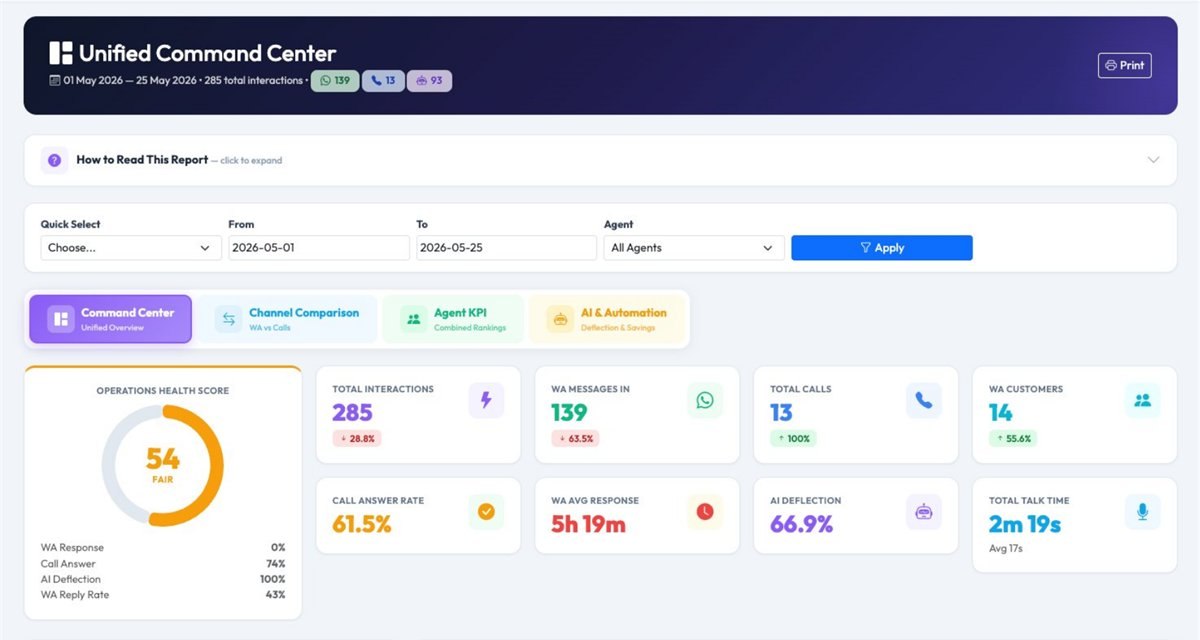
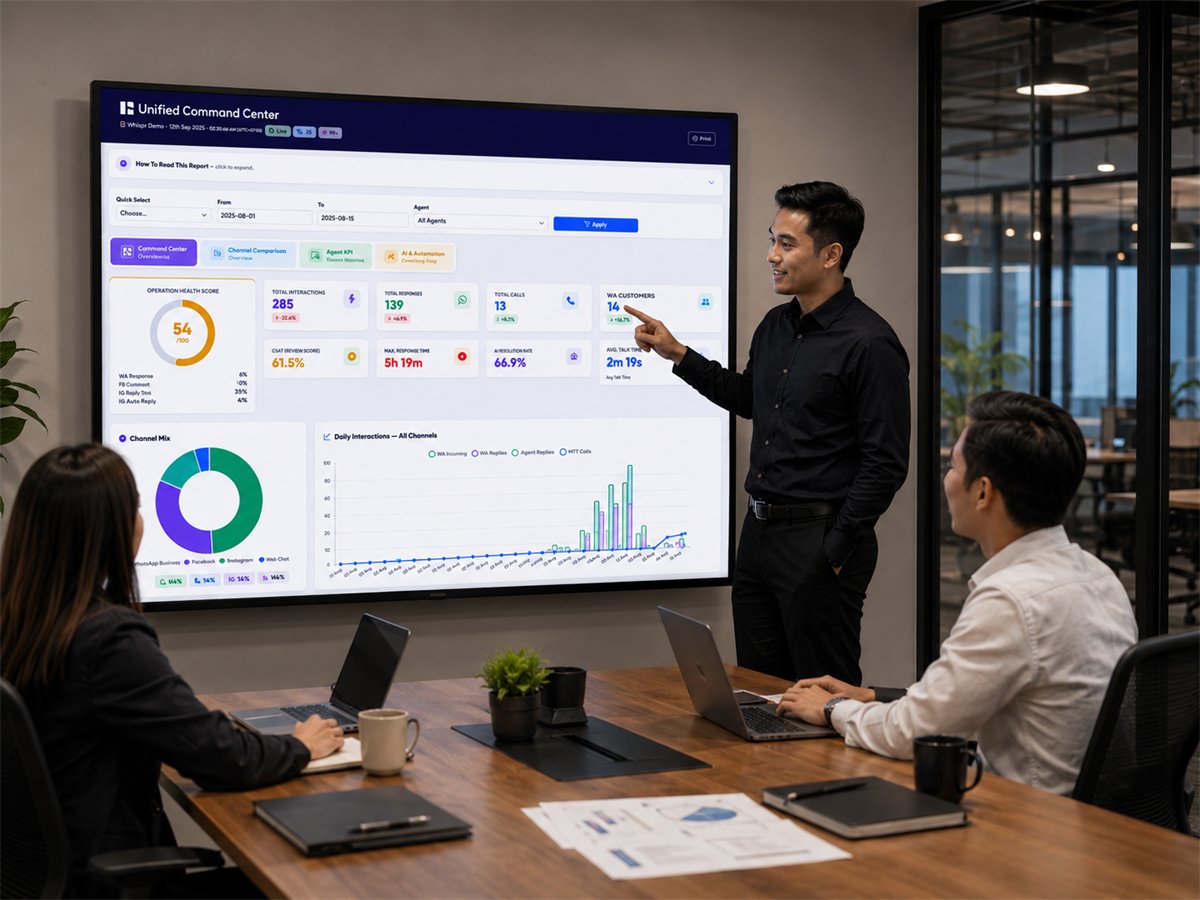
Unified Command Center: health score, KPI cards and channel mix across calls, WhatsApp and AI.
Your customers contact you through many channels, but your reports are still separated.
Phone calls, WhatsApp chats and AI chatbot enquiries are all part of the customer journey. When each channel is reviewed separately, owners may miss the real picture — missed calls, slow replies, overloaded agents and customers who were not followed up properly.
Cloud PBX Calls
Monitor incoming calls, answered calls, missed calls, talk time and agent call activity without asking staff to prepare manual updates.
WhatsApp Enquiries
See how many customers contacted your team through WhatsApp, how active your agents are, and whether follow-up is moving fast enough.
AI Chatbot Activity
Understand how much workload is handled by AI and how many conversations still need live agent takeover for better service quality.
Reports are harder to understand
- Managers need to check separate WhatsApp, AI and PBX reports.
- Agent workload is not measured fairly across calls and messaging.
- Missed enquiries are discovered too late.
- Staffing decisions depend on guesswork instead of real data.
Management gets one clearer view
- See calls, WhatsApp and AI chatbot activity in one dashboard.
- Review agent workload and response quality more fairly.
- Identify missed calls, slow replies and SLA issues faster.
- Use demand patterns to plan manpower and improve follow-up.
Four views that help owners manage customer response better
The dashboard is designed around practical questions that business owners and managers ask every day: Are we answering fast enough? Which agent needs support? Which customer was missed? Do we need more manpower during peak hours?
Command Center
A daily owner view for overall customer service health, channel activity and key response indicators.
Agent Scorecard
Compare staff performance across WhatsApp replies and phone calls for fairer KPI review.
Customer Journey
Check the full enquiry timeline before your team replies, quotes, calls back or follows up.
SLA & Capacity
Know when customers wait too long and which hours need stronger manpower coverage.
Unified Command Center
This is the main dashboard for owners and managers. It summarises customer enquiries from Cloud PBX calls, WhatsApp conversations and AI chatbot activity, so you can understand the day’s performance without opening many reports.
“Are customers being handled properly today, and which channel needs attention?”
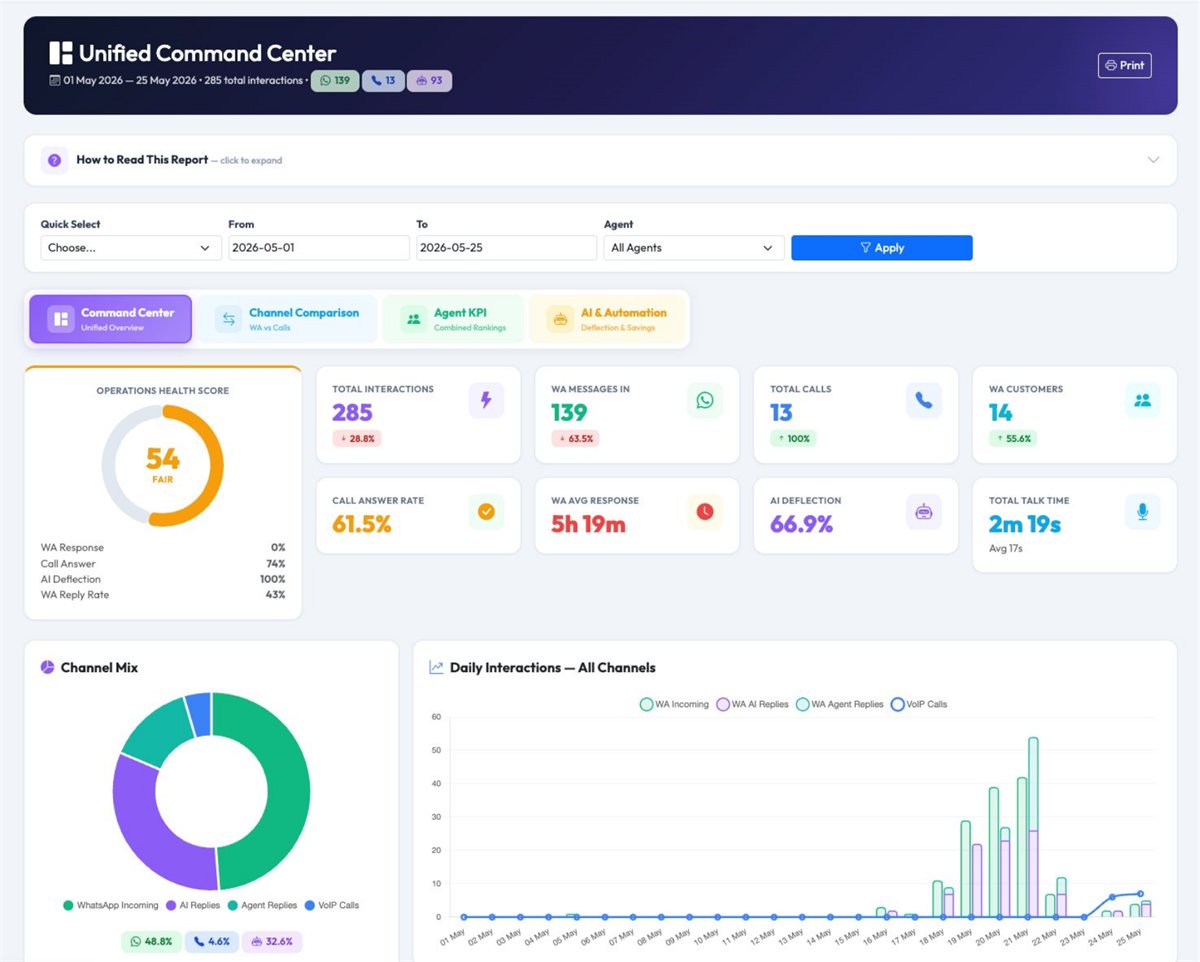
Command Center screenshot: health score, KPI cards, channel mix and daily activity trend.
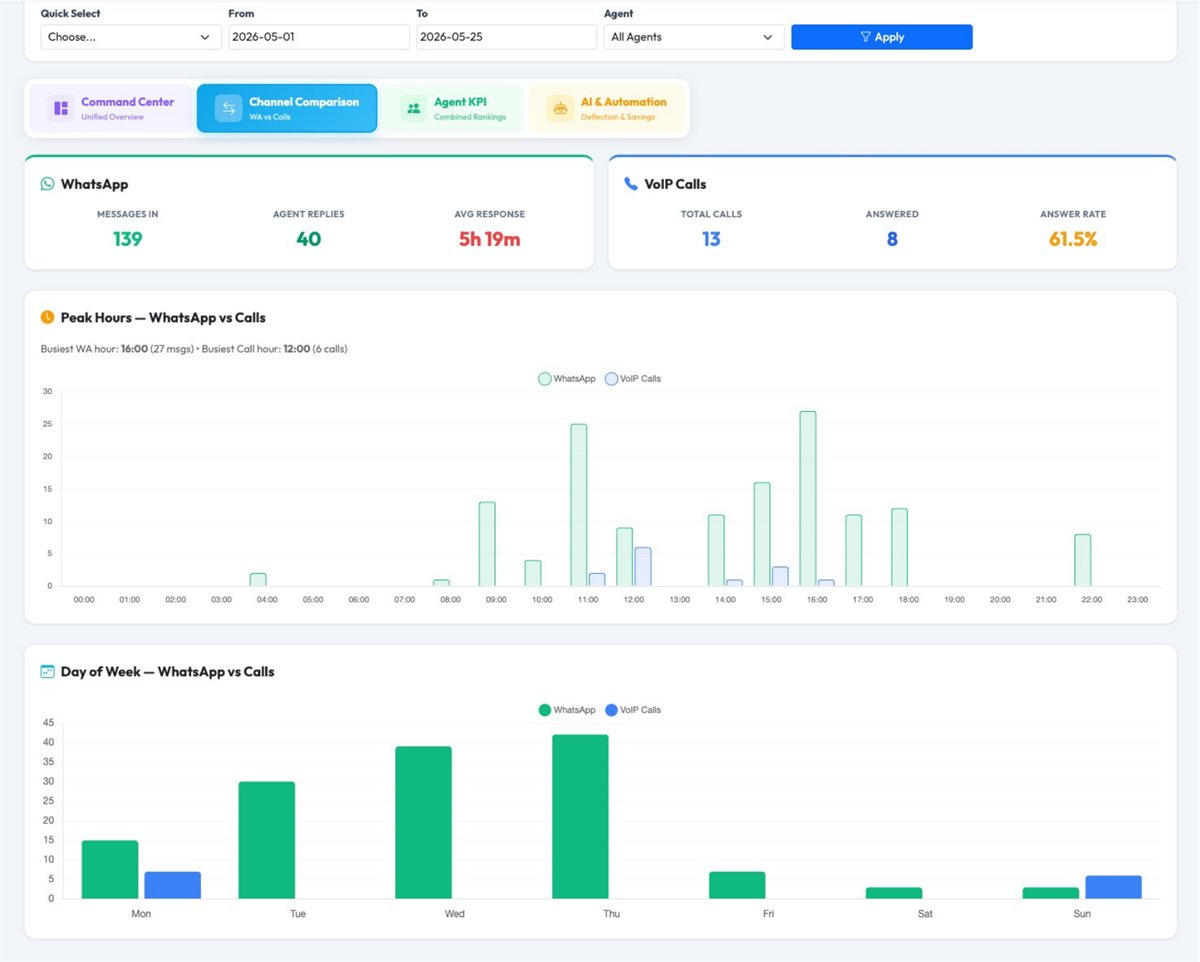
Channel Comparison: compare WhatsApp and Cloud PBX call activity side by side.
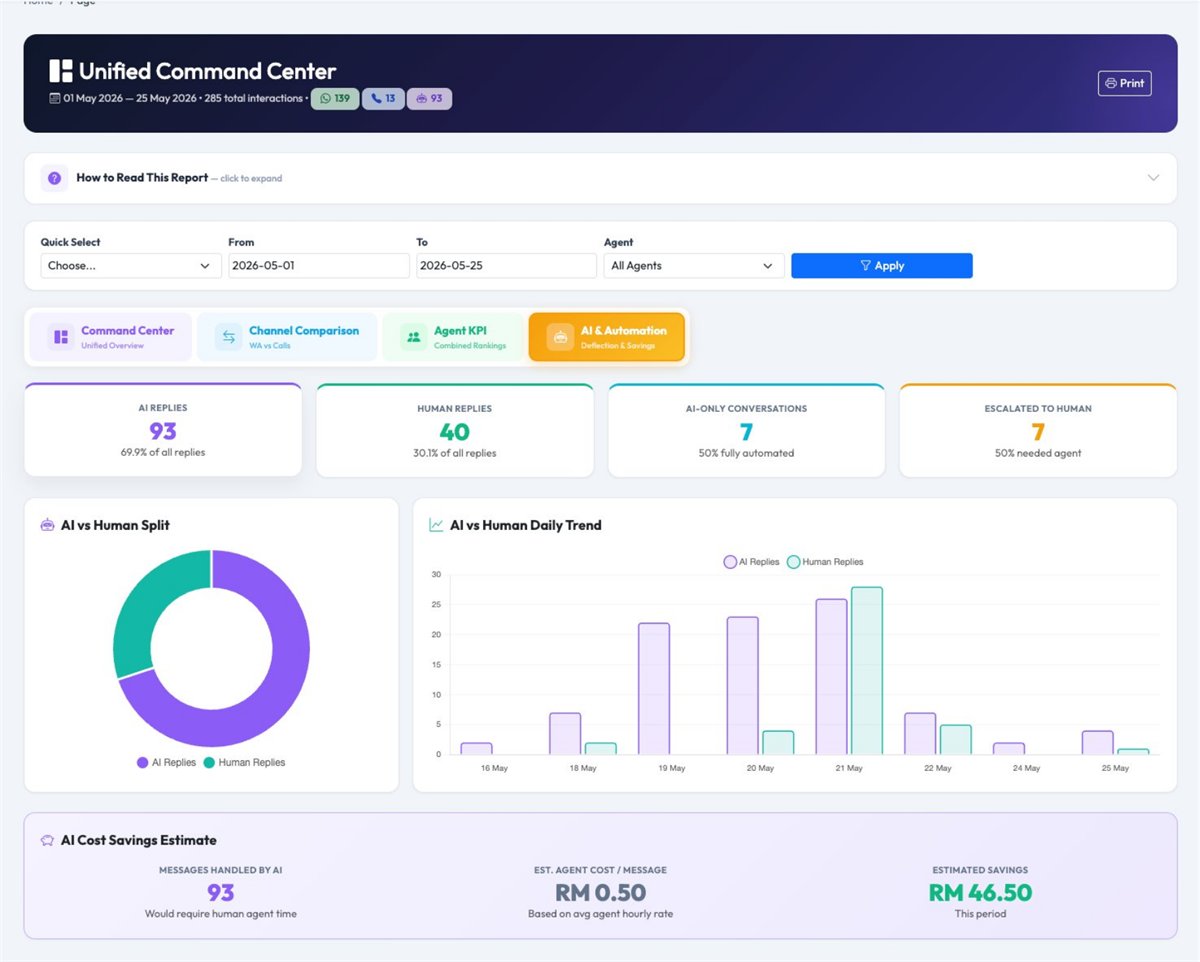
AI Automation: view AI-handled enquiries, human takeover and estimated workload savings.
Health Score
Quickly see whether customer response is healthy or needs action.
KPI Cards
Track calls, WhatsApp volume, customers handled and response speed.
Channel Mix
Understand whether customers prefer calling, messaging or AI self-service.
AI Visibility
Know where AI helps and where agents still need to step in.
Agent 360° Scorecard
Some staff handle many phone calls, while others manage more WhatsApp conversations. Agent 360° Scorecard combines both sides so managers can review workload, response activity and performance more fairly.
“Who is performing well, who is overloaded, and who needs coaching?”
Agent Leaderboard: compare agents by combined WhatsApp and phone call workload.

Unified Agent KPI: replies, customers handled, answered calls, missed calls and talk time.
Agent Ranking
Identify top performers and support team members who need guidance.
Call Handling
Track answered calls, missed calls, answer rate and talk time by agent.
WhatsApp Activity
Include chat-based work in your team performance review.
Customer Journey Timeline
Customers may WhatsApp first, call later, receive an AI reply, then wait for a human agent. Customer Journey Timeline helps your team see the full story before replying or following up.
“What happened with this customer before we respond again?”
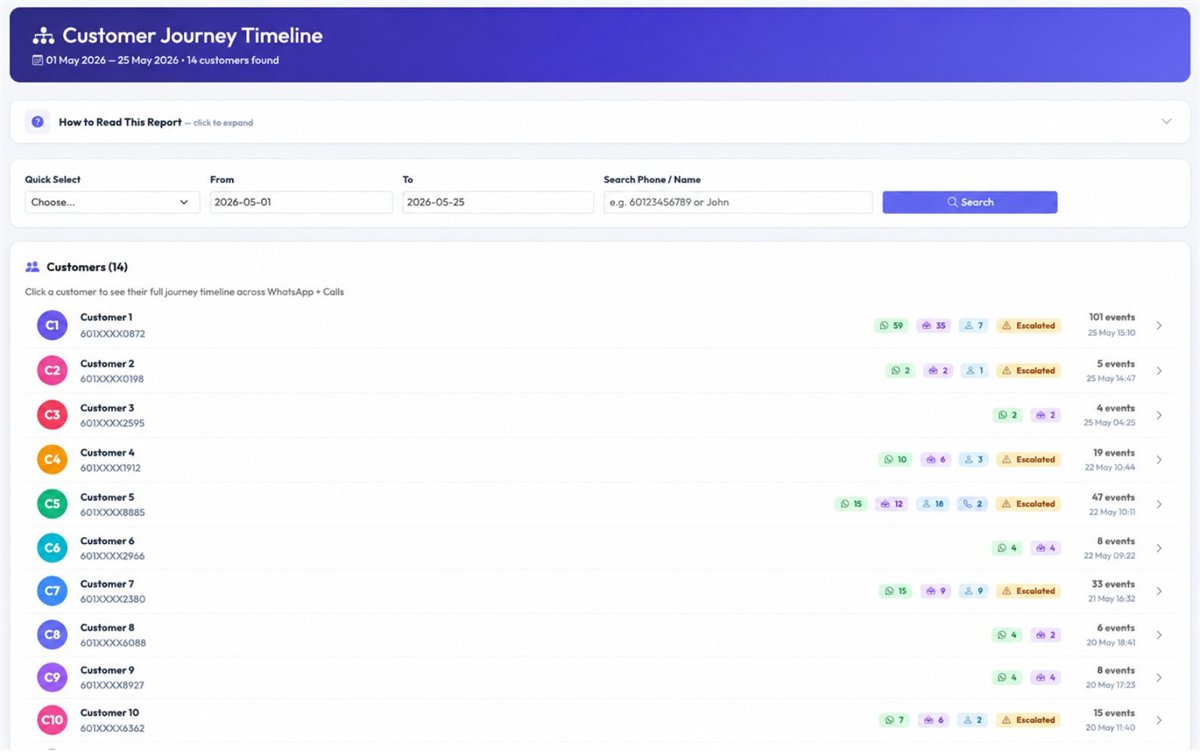
Customer List: see customer activity badges for WhatsApp, AI, agent replies and calls.
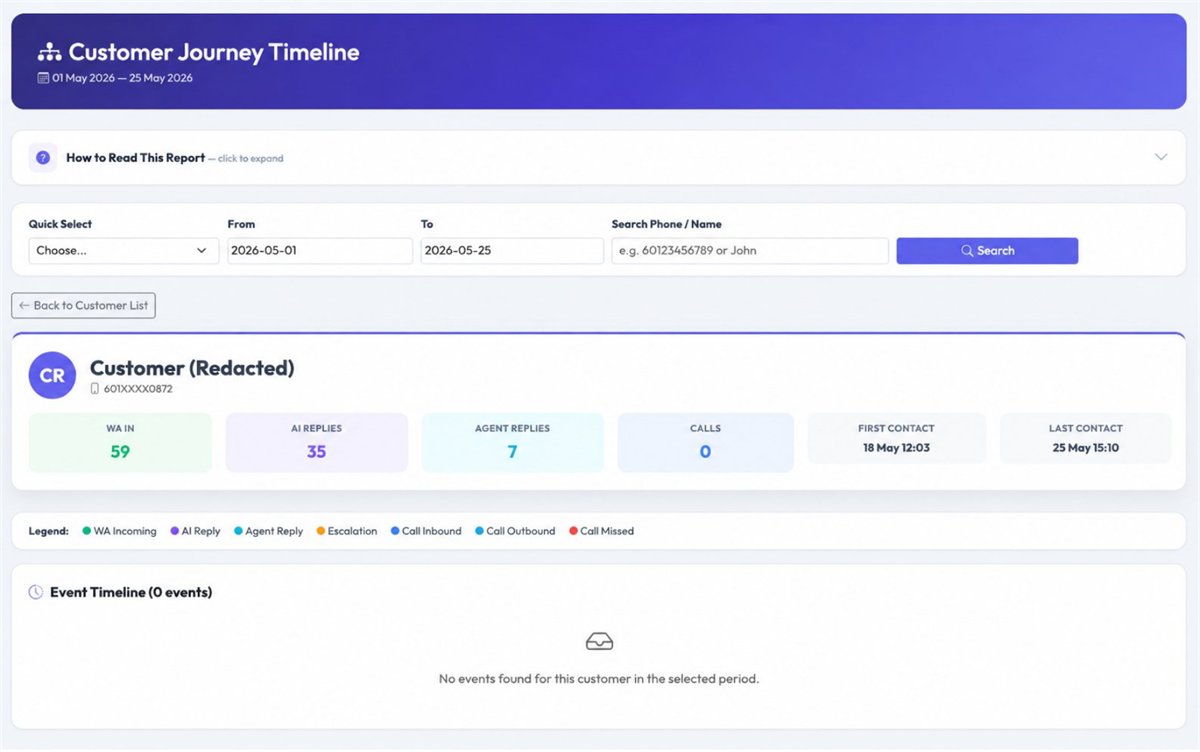
Customer Detail: full timeline of messages, AI replies, agent actions and call records.
Search Faster
Check customer history before replying, quoting or calling back.
See Every Touchpoint
View WhatsApp, AI, agent reply and call records in order.
Follow Up Better
Reduce repeated questions and help agents continue with better context.
SLA & Capacity Planning
SLA & Capacity Planning helps owners reduce missed enquiries by showing response delays, call answer performance and high-demand time slots. It turns customer communication data into practical manpower planning.
“Are customers waiting too long, and do we have enough staff during peak hours?”
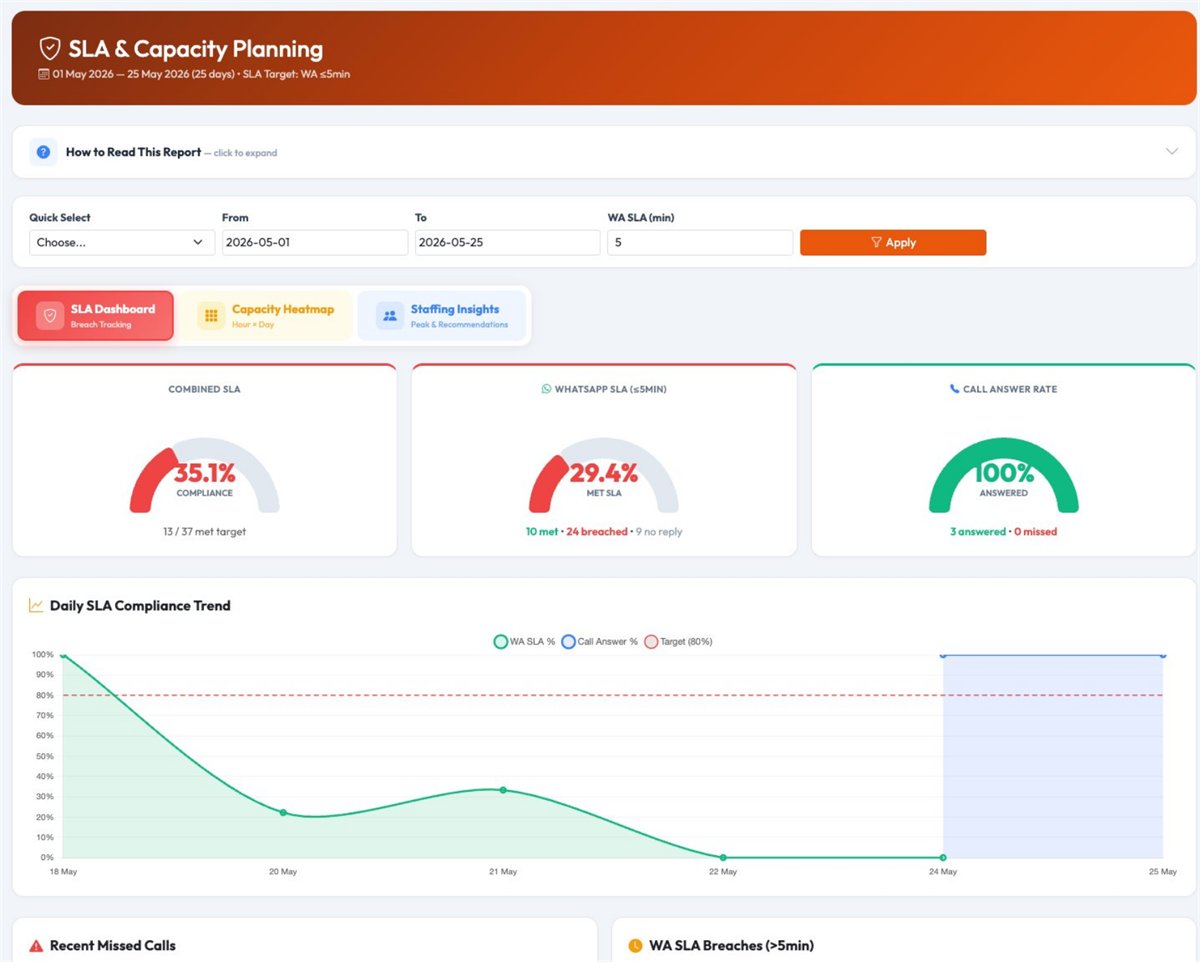
SLA Dashboard: combined SLA, WhatsApp response SLA and call answer rate.
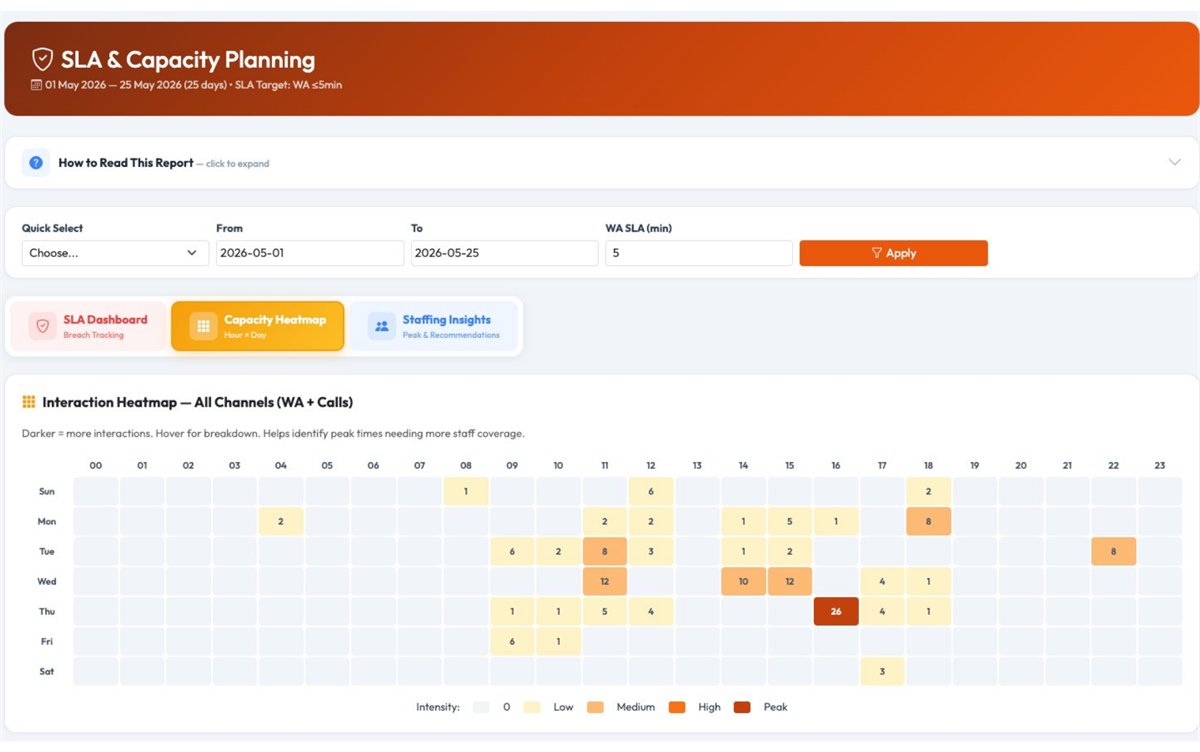
Capacity Heatmap: identify peak hours and low-activity periods.
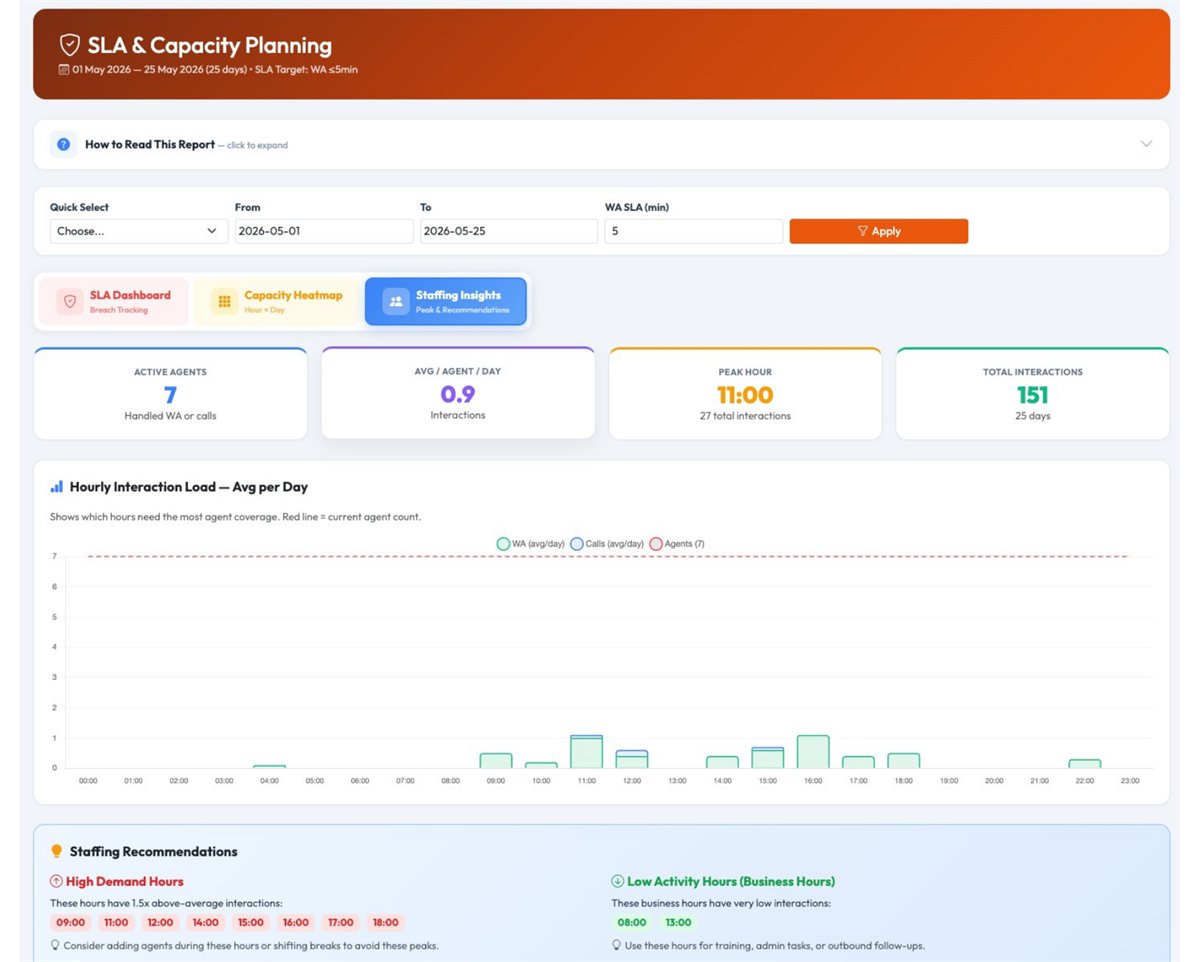
Staffing Insights: recommendations for better manpower coverage.
SLA Gauges
Review customer response performance with clear visual indicators.
Capacity Heatmap
Know which days and hours bring the highest customer interaction volume.
Staffing Recommendations
Plan shifts and manpower using actual call and WhatsApp demand patterns.
Turn communication data into faster follow-up and stronger sales control
Omnichannel Analytics is not only for reporting. It helps business owners reduce missed opportunities, manage team performance, improve service response and understand the full customer journey across phone calls and messaging.
Save management time
Reduce manual checking across different reports and channels.
Review agents fairly
Measure both call and WhatsApp workload for better performance review.
Reduce missed enquiries
Spot missed calls, slow replies and follow-up gaps earlier.
See full customer context
Help your team respond with better information and confidence.
Plan manpower better
Use real peak-hour data to decide when more staff are needed.
Improve sales follow-up
Respond faster to prospects before competitors win the customer.
Best for teams that handle customers through calls, WhatsApp and AI
This dashboard is suitable for SMEs, sales teams, customer service departments, multi-branch companies and call centers where missed calls or slow replies can affect sales and customer satisfaction.
Customer Service Teams
Monitor response speed, workload and service quality across channels.
Sales Teams
Track enquiries, follow-up activity and missed opportunities more clearly.
Multi-Branch Companies
Compare branches, agents and enquiry volume from a central dashboard.
AI Chatbot Users
Understand how AI supports your team and where human takeover is needed.
See It With Your Own Numbers
The quickest way to judge this is on your own call and WhatsApp data. Tell us how your team handles customers today and we will walk you through the dashboard that matters to you.
Prefer to talk it through? WhatsApp our team.
- A walkthrough of the reports using your kind of workload
- Advice on what can be measured with your current setup
- Works alongside Cloud PBX and WhatsApp Business API
- No obligation
Tell us about your business
Ready to manage calls, WhatsApp and AI enquiries from one view?
Let our team help you connect Cloud PBX analytics, WhatsApp activity and AI chatbot reporting into a clearer dashboard for better customer response and business control.